
Budgeting apps are everywhere, and many want your bank login, your email or a subscription. The Australian Securities and Investments Commission's Moneysmart budget planner asks for none of those. We tried it with a made-up household budget to see whether a free government tool is good enough for most people.
How we tested it
On 26 September 2026 we used the planner in a desktop web browser with a sample budget, not real personal data:
take-home pay of $2,400 a fortnight
rent of $1,100 a fortnight
electricity of $450 a quarter
supermarket spending of $220 a week
petrol of $60 a week and public transport of $40 a week.
We checked the totals by hand, switched between weekly, monthly and annual views, and read the guidance and help text. We did not test the Excel version or the separate simple money manager.
What it does well
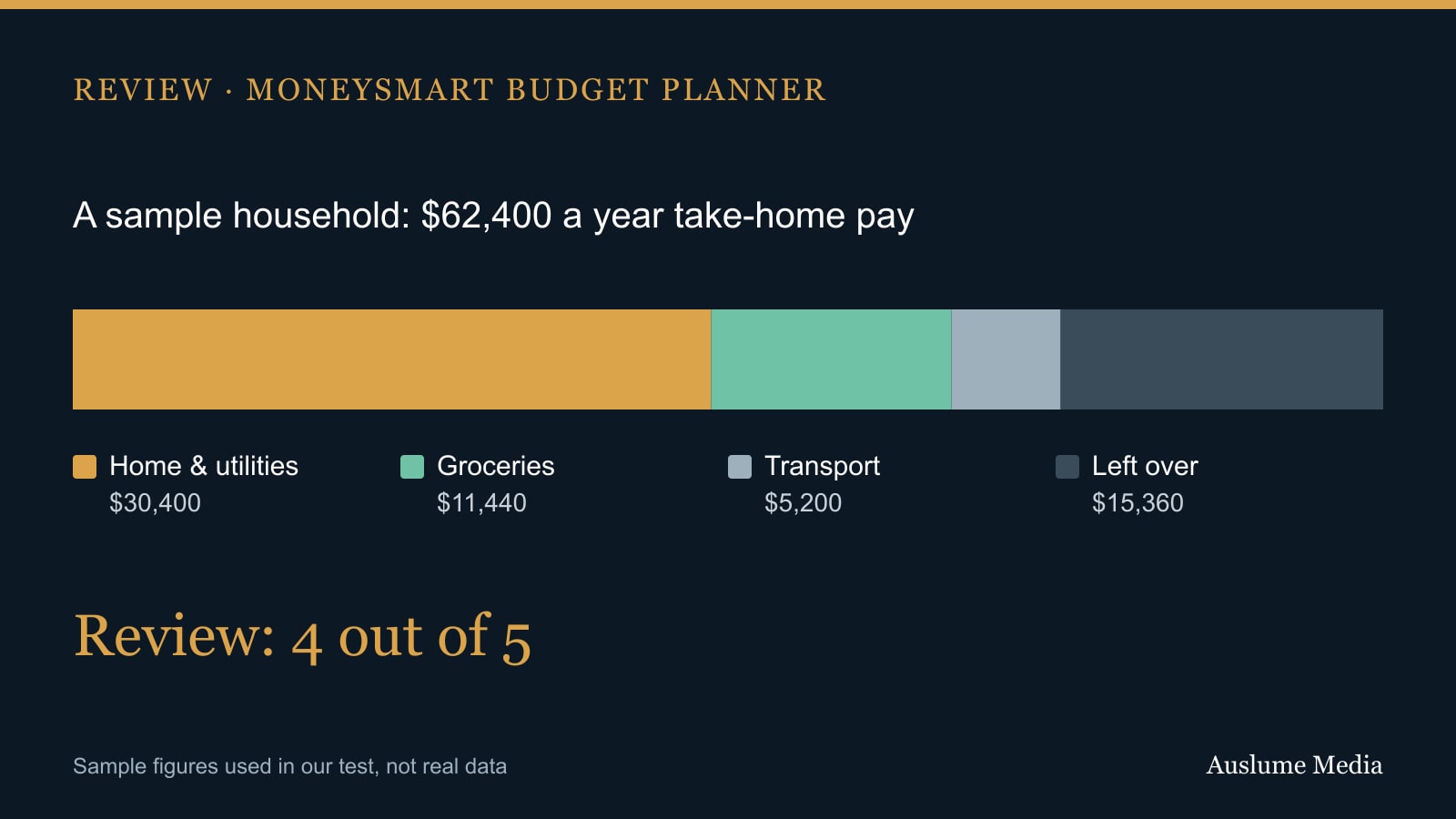
The maths is right. Each line takes its own frequency, so you can enter rent fortnightly, power quarterly and groceries weekly, and the planner converts everything. Our sample came to $62,400 a year in income, $30,400 for home and utilities, $11,440 for groceries and $5,200 for transport, all of which match a manual calculation.
It shows the view you need. A single setting switches the whole budget between annual, quarterly, monthly, fortnightly and weekly. In the monthly view our sample showed income of $5,200, expenses of $3,919 and a surplus of $1,280.
The categories are thorough. There are eight groups, from income through to children, with prompts for costs people forget, such as body corporate fees, council rates, rego and licence. You can add your own items too.
It tells you what to do next. A surplus prompts a reality check: is your bank balance actually going up each month? It links to help with tracking spending and suggests building a savings habit or paying down debt. There is also an option to add a reminder to review the budget in three months.
It is easy to reach. The page is available in English, Simplified and Traditional Chinese, Arabic and Vietnamese.
What could be better
Autosave is on by default. The planner saves your figures in your browser on your own device. That is convenient, and it stays on your device rather than in an online account. But on a shared or work computer, someone else could see your budget. Moneysmart explains this on the page and lets you switch it off. We would prefer it off by default.
Small rounding differences. In the monthly view, the expense categories are rounded separately, so they added up to $3,919 while the surplus was calculated from $3,920. It does not change any decision, but it can confuse someone checking the numbers.
No automatic tracking. The planner shows what you plan to spend, not what you did spend. For that you need your bank statements, or Moneysmart's separate guidance on tracking your spending.
Verdict
For most households, this is a solid place to start. It is accurate, free, private by design and genuinely useful in the way it handles different payment frequencies. Switch autosave off if you use a shared device, and pair it with a few weeks of looking at what you actually spend.
Rating: 4 out of 5.
We used the public tool at no cost. Moneysmart and ASIC had no involvement in this review. This is general information, not financial advice.

About the author
RullikClear, sourced explainers on Australia and the world
Rullik is the pen name of the founder of Australia Illuminate (Auslume). Rullik writes plain-language explainers on life in Australia, from immigration, study and work to money, sport and screen culture, always linking to the official sources behind each story. Every story is reviewed before publication.
More from Rullik ↗